La respuesta corta
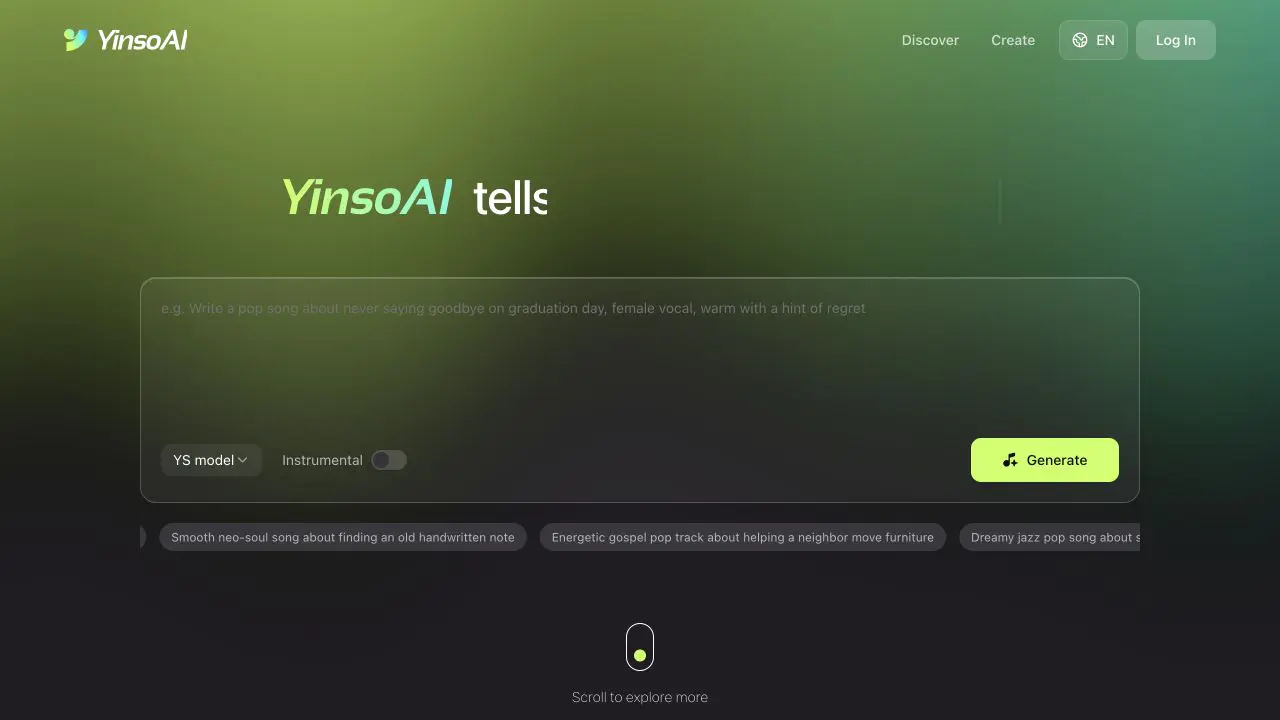
Describe el género, el ánimo, la velocidad, los instrumentos, la voz y para qué va a servir la música. Activa o desactiva Instrumental, pulsa Crear, escucha el resultado completo y después mejora el prompt de un detalle a la vez.
01
¿Qué es la música generada con IA?
La música generada con IA parte de instrucciones que escribes para un modelo. Pueden ser breves, como «lo-fi instrumental para un vídeo de estudio», o un encargo más completo con tema, emoción, instrumentos, voz y estructura.
El resultado puede ser una canción completa con voz, un tema instrumental, una pieza corta de música de fondo o el punto de partida de un proyecto más grande.
La IA no elimina el criterio creativo. Te da una primera versión rápida, pero tú sigues decidiendo de qué habla la canción, cómo se debe sentir, qué resultado vale la pena conservar y qué hay que cambiar.
Piensa en la IA como un compañero creativo veloz. Ella te da el primer borrador. Tu gusto y tu dirección son los que lo vuelven algo tuyo.
02
Qué necesitas antes de empezar
No necesitas la letra terminada ni un brief de producción profesional. Responde tres preguntas simples antes de abrir el generador.
¿De qué habla la música?
Una historia, una persona, un recuerdo, un lugar o un momento cotidiano: una graduación, unos XV años, un viaje por carretera, la intro de un podcast o el video de un producto.
¿Qué debe sentir quien la escuche?
Elige una dirección clara: cálido y nostálgico, esperanzado sin gritarlo, juguetón, tenso pero contenido, soñador o triunfal.
¿Dónde se va a usar?
Una canción completa necesita espacio para versos y coro. La música para video necesita un ritmo parejo; la intro de un podcast tiene que ser breve y reconocible.
03
Elige tu camino: con voz o instrumental
Deja el interruptor Instrumental apagado cuando quieras una canción cantada. Actívalo cuando necesites música sin voz.

Crear una canción completa con voz
La mejor opción cuando la letra y quien canta cargan la idea: canciones personales, canciones que cuentan algo, regalos y temas con un coro que se queda pegado.
Indie folk sobre unos amigos que se despiden después de un viaje por carretera. Voz masculina natural, guitarra acústica, piano suave y batería con escobillas. Tempo medio, recuerdos concretos y un estribillo esperanzador.
Crear música instrumental
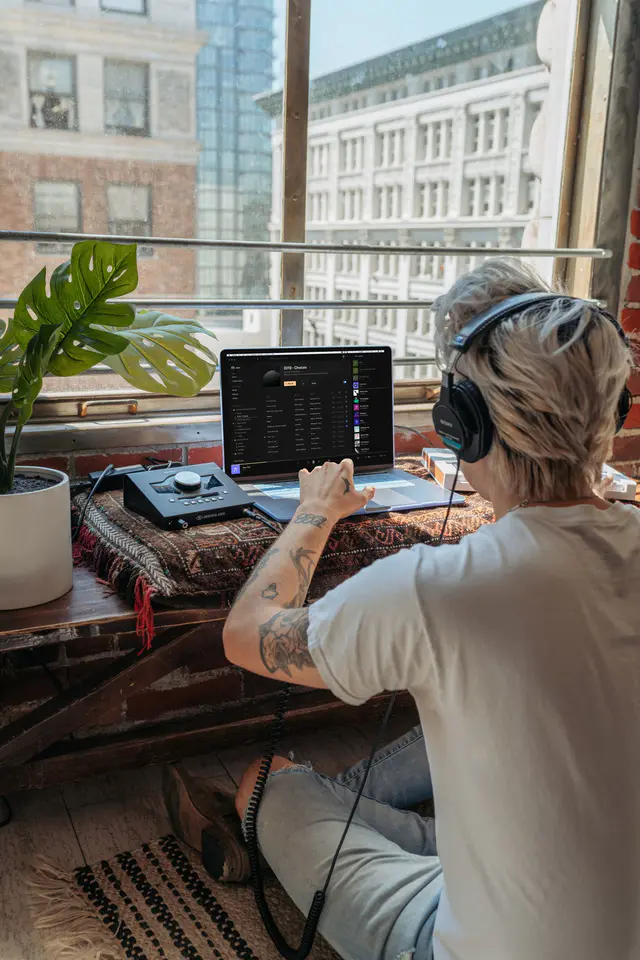
La mejor opción para videos, podcasts, presentaciones, videojuegos y transmisiones en vivo, donde una voz cantada competiría con la narración.
Electrónica instrumental luminosa para un vlog de carretera hacia la costa. Sintetizadores amplios, percusión suave, guitarra limpia y tempo medio-rápido, con sensación de aventura.
04
Cómo escribir un buen prompt musical
Un prompt útil le da a la IA una dirección clara sin intentar controlar cada nota. Combina cinco tipos de información.
1Género
Empieza con pop, rock, folk o electrónica y concreta después: indie folk, dream pop, synth-pop, lo-fi hip-hop o ambient para una escena de viaje.
2Ánimo
Empieza con una emoción principal y, si hace falta, un matiz que contraste: nostálgico pero esperanzado, oscuro e inquieto, suave y reconfortante.
3Tempo y energía
No necesitas los BPM exactos. Lento y espacioso, groove parejo a tempo medio, rápido y con energía, o que vaya creciendo poco a poco: con eso alcanza.
4Instrumentos y voz
Nombra dos o tres sonidos importantes: guitarra acústica y piano suave; guitarra limpia y batería con escobillas; sintetizadores amplios y bajo cálido; una voz cercana y contenida.
5Escena o uso
Explica por qué existe la música: un video de viaje al atardecer, la intro de un podcast, un regalo de cumpleaños o la demo de un producto.
Fórmula del prompt
Género + Ánimo + Tempo + Instrumentos o voz + Escena
Indie folk cálido, nostálgico pero esperanzador, a tempo medio, con guitarra acústica y voz femenina suave, para despedir a unos amigos al graduarse con un estribillo fácil de recordar.
05
Cómo hacer tu primera canción con IA en YinsoAI
El flujo básico es corto. Casi todo el trabajo creativo pasa en el prompt y en las decisiones que tomas después de escuchar.
- 1
Empieza en Básico con una sola frase
Abre YinsoAI y elige Básico. Escribe la idea con palabras cotidianas: «Electrónica luminosa para un vídeo de viaje, percusión con energía, sintetizadores amplios, sin voz». Después pulsa Crear.
- 2
Agrega los detalles que sí cambian algo
Aclara el género, la emoción, la velocidad, los sonidos que deben destacar y la escena donde se va a usar. Si la descripción te queda corta, Mejora con IA la desarrolla y puedes editarla antes de generar.
- 3
Decide entre voz e instrumental
Deja Instrumental apagado para una canción cantada. Actívalo cuando la narración, los diálogos o la imagen deban quedar por delante de la música.
- 4
Pásate a Avanzado cuando quieras controlar más
La pestaña Avanzado separa Estilo de Letra, así escribes tus propias palabras y diriges el sonido por separado. En Estilos excluidos nombras lo que no quieres: ruido, distorsión, desafinación.
- 5
Genera y escucha el tema completo
No juzgues solo los primeros segundos. Escucha el ánimo general, la voz o el instrumento principal, el ritmo, los cambios de energía y la parte que querrías volver a oír. Comparar modelos corre el mismo prompt en varios modelos para que oigas la diferencia en una sola pantalla.
- 6
Ajusta un detalle a la vez y guarda el prompt
Detecta primero lo que más se aleja de tu idea: cambia «triste» por «agridulce pero con calma», baja el tempo o simplifica el arreglo, y compara versiones. Guarda el prompt que funcionó: es el punto de partida del siguiente tema.
06
Cuatro prompts musicales que puedes copiar
Úsalos como punto de partida y después cambia la historia, el ánimo o el uso por lo tuyo.
01
Canción de graduación
Ideal para: Una canción completa con voz
Balada pop en español sobre graduarse y despedirse de los amigos de siempre. Voz femenina suave, guitarra acústica, batería discreta, versos nostálgicos y un coro esperanzado que se quede pegado.
02
Música para un video de viaje
Ideal para: Música de fondo instrumental para video
Electrónica instrumental luminosa para un vlog de carretera hacia la costa. Sintetizadores amplios, percusión suave, guitarra limpia y tempo medio-rápido, con sensación de aventura.
03
Canción de cumpleaños
Ideal para: Un regalo musical con humor
Canción de cumpleaños de indie pop para mi mejor amiga. Guitarras luminosas, palmas y batería ligera; estrofas con anécdotas de nuestros viajes y un estribillo que todos podamos cantar.
04
Intro de podcast
Ideal para: Música corta de identidad de marca
Intro de podcast breve y limpia, con percusión electrónica suave, bajo cálido y un motivo melódico curioso. Moderna, cercana e inteligente. Instrumental, con un cierre simple.
07
Cómo mejorar una canción generada con IA
Diagnostica el problema antes de volver a generar. «No me gusta» no te dice qué hacer. «El arreglo tiene demasiadas cosas para una voz en off» ya es una edición concreta.
El estilo suena genérico
Agrega uno o dos detalles concretos: un subgénero, una época, un instrumento distintivo o una escena específica.
La emoción no es la que buscabas
Cambia las palabras amplias por palabras precisas: agridulce pero reconfortante, seguro sin presumir, inquieto y sin resolver, cálido y un poco nostálgico.
El arreglo está muy cargado
Pide un arreglo mínimo y nombra solo los sonidos que necesitas, sobre todo para podcasts y videos con diálogo. Estilos excluidos es la forma más rápida de sacar eso que insiste en aparecer.
La voz no le queda
Describe el timbre, la energía y la interpretación, no solo el género de la voz: suave y cercana, clara y juvenil, áspera y sin pulir, o un coro cálido de varias voces.
El tema se olvida rápido
Construye la canción alrededor de una imagen concreta: un mensaje que nadie abrió, el último camión de la noche o una cocina vacía cuando ya se fue todo el mundo.
Lo escuchas en tu cabeza pero no sabes nombrarlo
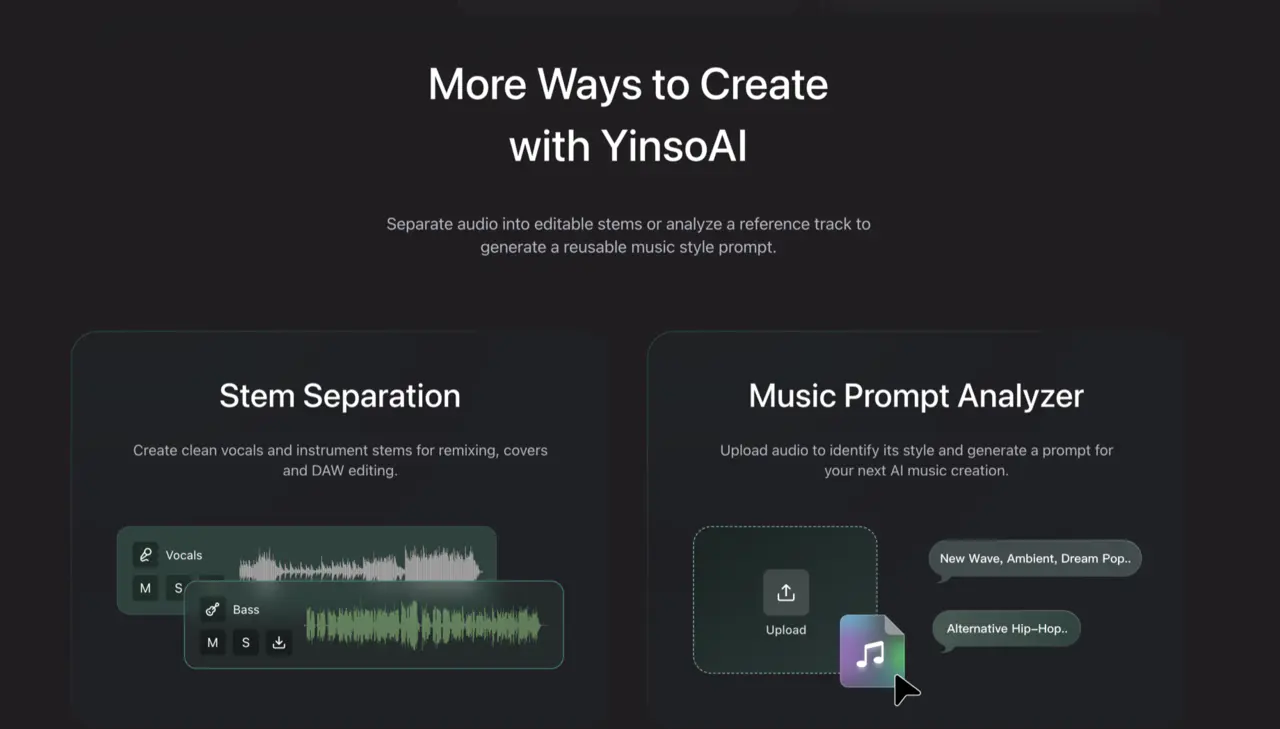
Pasa la canción de referencia por el Analizador de prompts musicales. Te devuelve el género, los instrumentos y las palabras de producción de un sonido que ya te gusta, y editas esa descripción en vez de empezar desde cero.
08
Errores comunes al empezar
Un prompt demasiado vago
«Haz una canción buena» no define qué es buena. Agrega un ánimo, un género y un uso.
Instrucciones que se contradicen
Música de meditación tranquila, batería agresiva y ambiente de terror compiten entre sí.
Cambiarlo todo de una vez
Cambia una variable importante para saber qué fue lo que mejoró el resultado.
Juzgar solo por la intro
Escucha el tema completo: el coro o la subida de energía pueden llegar más adelante.
Olvidar para qué es
Un tema que funciona solo puede ser el equivocado para un podcast, un video o el proyecto de un cliente.
09
¿Qué puedes hacer con música con IA?
Canciones personales
Convierte cumpleaños, graduaciones, XV años, aniversarios o mensajes que nunca enviaste en canciones con voz.
Música para video
Crea música instrumental para vlogs, Shorts, Reels, TikToks, demos de producto y videos que cuentan una historia.
Audio para creadores
Haz intros de podcast, fondos para transmisiones en vivo, conceptos de videojuego y primeras ideas de audio de marca.
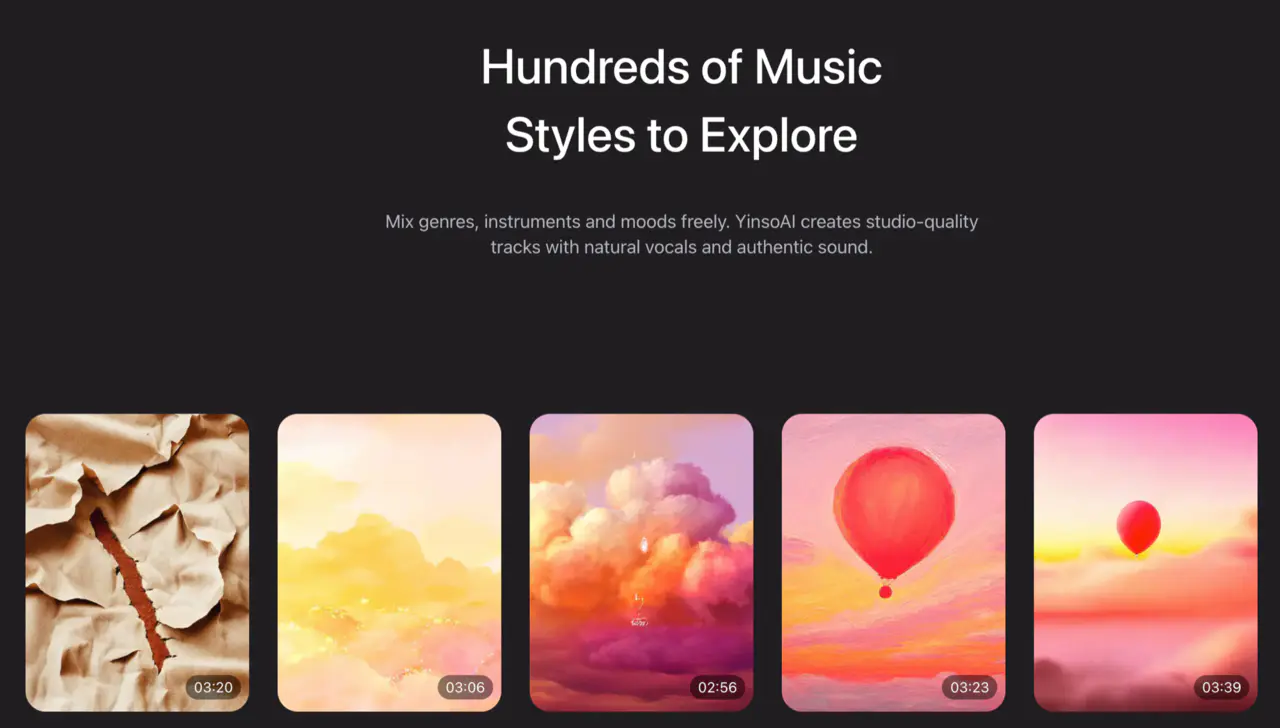
¿Quieres inspirarte antes de escribir? Explora música en la sección Descubrir de YinsoAI y escucha cómo distintos géneros, ánimos e historias llevan a resultados muy distintos.
10
¿Se puede usar comercialmente la música hecha con IA?
La licencia queda fijada en el momento en que se genera la canción, según el estado de tu cuenta en ese instante. Las canciones generadas mientras tu membresía Pro está activa son tuyas para usarlas comercialmente, y siguen siéndolo después de que la membresía termine. Las canciones generadas en una cuenta gratuita son de uso personal de forma permanente: suscribirte después no las licencia hacia atrás.
- Las generaciones gratuitas no llevan marca de agua
- Las generaciones gratuitas no se recortan: escuchas el arreglo completo
- Las generaciones gratuitas usan los mismos modelos que los miembros de pago
- No puedes pasarte a Pro para liberar un tema que ya hiciste: hay que generarlo de nuevo con la membresía activa
- Comercial no es solo subirlo a las plataformas: el video de una marca, entregarle una pista a un cliente, un anuncio o un video monetizado también cuentan
Guarda el prompt, la fecha de creación y el estado de tu cuenta. Para trabajo con clientes, campañas pagadas o distribución formal, revisa los términos vigentes de YinsoAI antes de publicar.
11
Preguntas frecuentes
¿Necesito experiencia musical para hacer música con IA?
No. Puedes empezar describiendo en lenguaje natural la idea, el ánimo y para qué va a servir. La terminología musical da precisión, pero no hace falta para una primera canción.
¿Puedo crear música instrumental, sin voz?
Sí. Activa el interruptor Instrumental antes de generar y concentra el prompt en el ánimo, el tempo, los instrumentos y la escena donde se va a usar la música.
¿Qué tan largo debe ser un prompt musical?
Una o dos frases claras alcanzan para el primer resultado. Un prompt más largo solo sirve cuando lo que agregas cambia una decisión musical importante.
¿Tengo que escribir la letra antes de generar?
No siempre. Pásate a la pestaña Avanzado cuando tengan que aparecer nombres, palabras o recuerdos concretos, y escríbelos en el campo Letra. Para explorar o para música instrumental, con una descripción en Básico basta.
¿Por qué el primer resultado no se parece a lo que imaginaba?
El prompt puede ser muy amplio, contradictorio o estar dejando fuera un detalle importante. Busca lo que más se aleja —ánimo, tempo, timbre de la voz o instrumentación— y cambia primero esa parte.
¿Puedo poner el nombre de un artista en el prompt?
Es más seguro y creativamente más útil describir el género, la época, el timbre de la voz, los instrumentos, el ritmo y el tono emocional, en vez de pedir la imitación exacta de un artista vivo.
¿La versión gratuita lleva marca de agua o dura menos?
Ninguna de las dos. Las generaciones gratuitas no llevan marca de agua, no se recortan y corren en los mismos modelos que usan los miembros de pago. Lo que agrega la membresía es la licencia comercial.
¿Puedo usar comercialmente la música que generé?
Las canciones generadas mientras una membresía Pro está activa se pueden usar comercialmente, y ese derecho sobrevive al fin de la membresía. Las hechas en una cuenta gratuita quedan de uso personal aunque te suscribas después, así que genera la versión final con la membresía activa.
Tu primera canción empieza con una frase
Convierte tu idea en música
Escribe cómo se debería sentir la canción. YinsoAI te ayuda a escuchar la primera versión.
Crear música con YinsoAI