01
Cómo quitar la voz en 3 pasos
- 1
Sube tu pista
Abre Separación de pistas e inicia sesión con Google antes de enviar el audio. Sube un archivo MP3, WAV, FLAC, AAC, OGG o M4A de hasta 30 MB. Tu archivo es privado y no se publica.
- 2
Deja que la IA separe la mezcla
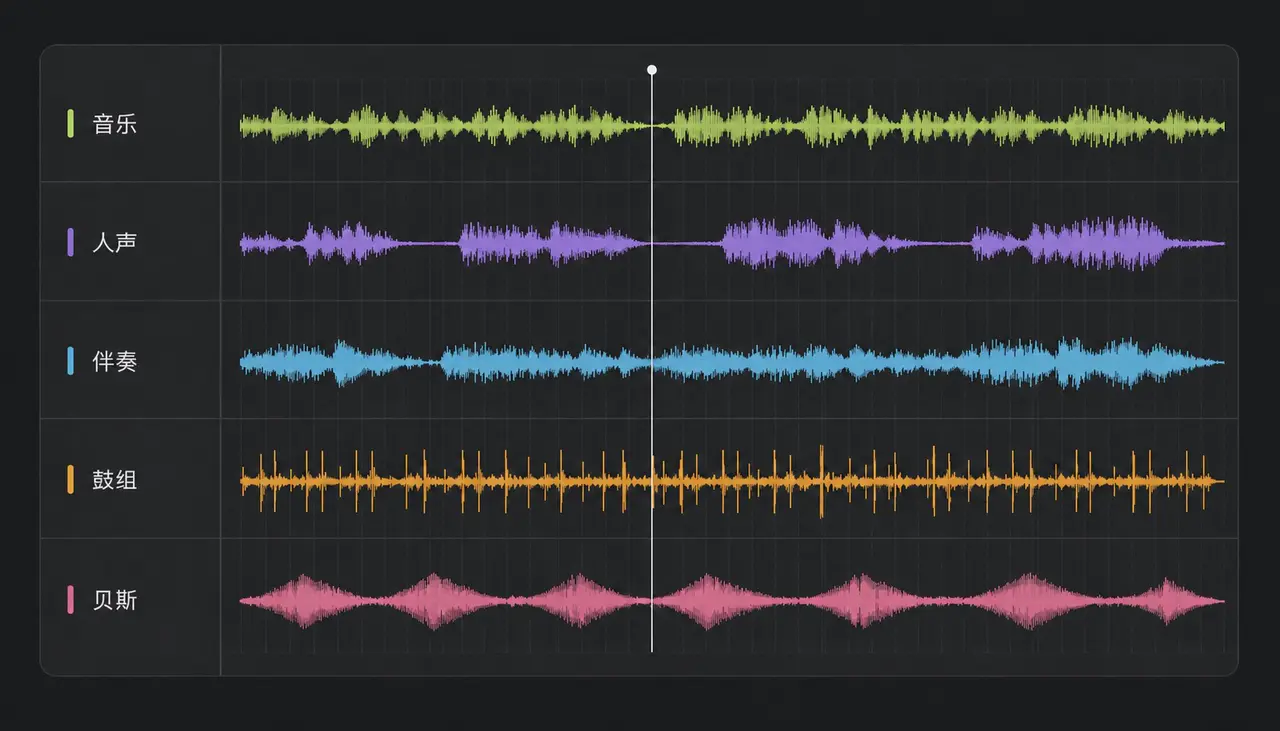
El modelo escucha la mezcla completa y la reconstruye en capas separadas. La mayoría de las canciones terminan en un minuto.
- 3
Escucha y exporta
Compara el instrumental con el original antes de descargar. Si el balance no es el que buscabas, puedes extraer las capas de batería, bajo e instrumentos por separado.
02
Qué puedes hacer con el instrumental

Cantar encima
Una base en el tono y tempo originales, lista para karaoke, directos o una versión grabada en casa.

Grabar una versión
Conserva el arreglo que te gusta y pon tu propia voz encima, sin buscar un instrumental oficial que quizá no exista.
Practicar tu parte
Silencia la voz para oír el arreglo, o deja solo la batería para practicar el tempo con la grabación real.
Samplear y rehacer
Extrae una capa limpia de batería o bajo para construir algo nuevo y termina la pista con generación por IA.
03
Cuándo no funciona bien
La separación de voz es muy buena, pero no es magia. En estos casos habrá artefactos audibles; saberlo de antemano evita culpar a lo que no es.
Grabaciones en directo
Cuando la voz se filtra en todos los micrófonos de sala no existe una voz limpia que extraer. El instrumental sale delgado y con restos del cantante.
Mucha reverberación o delay
El modelo quita la voz seca, pero la cola de reverberación pertenece a la sala. Suele oírse un eco tenue de la voz al final de cada frase.
Grabaciones mono antiguas
La separación moderna se apoya en la ubicación estéreo. Los másteres mono anteriores a los años sesenta ofrecen muchas menos pistas y el resultado es más tosco.
Arreglos densos y superpuestos
Si una guitarra distorsionada ocupa el mismo rango de frecuencias que la voz, parte de ella puede desaparecer junto con la voz, o quedar voz dentro de ella.
04
Formatos admitidos y límites
- Formatos de entrada
- MP3, WAV, FLAC, AAC, OGG, M4A
- Tamaño máximo
- 30 MB
- Tiempo de proceso habitual
- Aproximadamente 1 minuto
- Salida
- Exportación sin pérdida, conserva tono y tempo
- ¿Requiere cuenta?
- Leer la guía: no. Procesar audio: sí; las cuentas nuevas incluyen créditos gratis.
05
¿Eliminador de voz o separación de pistas?
Ambos usan el mismo modelo. La diferencia está en cuánta mezcla quieres recuperar.
Eliminador de voz
Te da dos cosas: la voz aislada y todo lo demás como un único instrumental. Elígelo si quieres una base para cantar.
Separación de pistas
Divide la mezcla en voz, batería, bajo y otros instrumentos por separado. Elígelo si produces o remezclas y necesitas control por capa.
Abrir el separador de pistas06
Preguntas frecuentes
¿Necesito una cuenta para quitar la voz?
Puedes leer esta guía sin cuenta. Para enviar audio a la separación, inicia sesión con Google. El proceso usa tu cuenta y guarda el resultado en tu biblioteca. Las cuentas nuevas incluyen créditos gratis.
¿Es realmente gratis?
Las cuentas nuevas incluyen créditos gratis y una división de voz e instrumental cuesta 10. Es suficiente para probar varias pistas antes de decidir si comprar más.
¿El instrumental conserva el tono y el tempo?
Sí. La separación no cambia el tono ni estira el tiempo, así que la base encaja exactamente con la grabación original.
¿Por qué sigo oyendo algo del cantante?
Normalmente es la reverberación. El modelo quita la voz seca, pero la cola de reverb forma parte del sonido de sala y es mucho más difícil de aislar.
¿Puedo obtener solo la voz?
Sí. El mismo proceso genera la voz aislada junto al instrumental, así que puedes sacar una a capela de cualquier pista.
¿Es legal usar el instrumental?
La separación no cambia quién posee la grabación. El uso personal suele estar bien; publicar o monetizar una versión normalmente requiere licencia del titular.
Convierte ese instrumental en algo tuyo
Ya tienes la base. Escribe encima o deja que la IA construya una canción completa a partir de una sola frase.
Empezar a crear